
A photographer's website has a brutally simple job: get out of the way of the photographs. Yet most portfolio sites fail at exactly that — slow-loading galleries, clumsy layouts that crop images badly, and templates designed for text squeezing photos into the gaps.
The good news: with a Mac, Blocs, and a weekend, you can launch a portfolio that loads fast, frames your work properly, and belongs to you outright — no monthly platform fee quietly eating a print sale every month. Here's the plan, divided into three realistic days.
Friday evening: decisions and raw material
Curate ruthlessly
The single biggest upgrade to any portfolio costs nothing: showing fewer images. Twelve exceptional photographs beat forty good ones — every time, with every client. Pick your best 10–15 per gallery, and cut anything you'd have to explain.
Group them the way a client shops, not the way you shot them: by genre (weddings, portraits, commercial) or by project. One gallery per audience you serve.
Choose your template
Photography is the one category where template choice is almost entirely about how images are framed. Four of the best Blocs templates for photographers, each with a different personality:
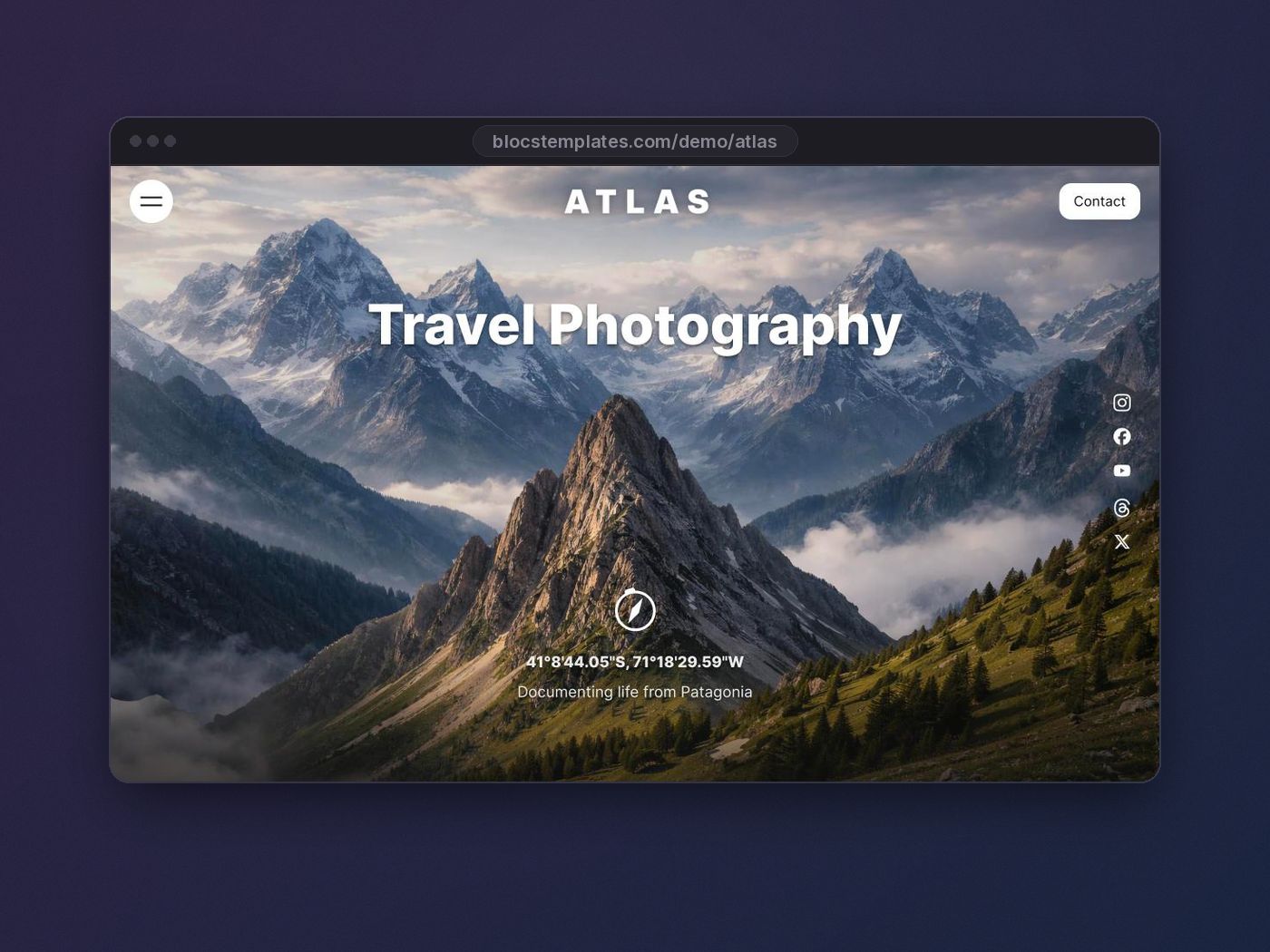
Atlas — bold, full-bleed, and dramatic. Built to make individual images feel monumental. Ideal when your work carries mood: landscapes, editorial, fine art.
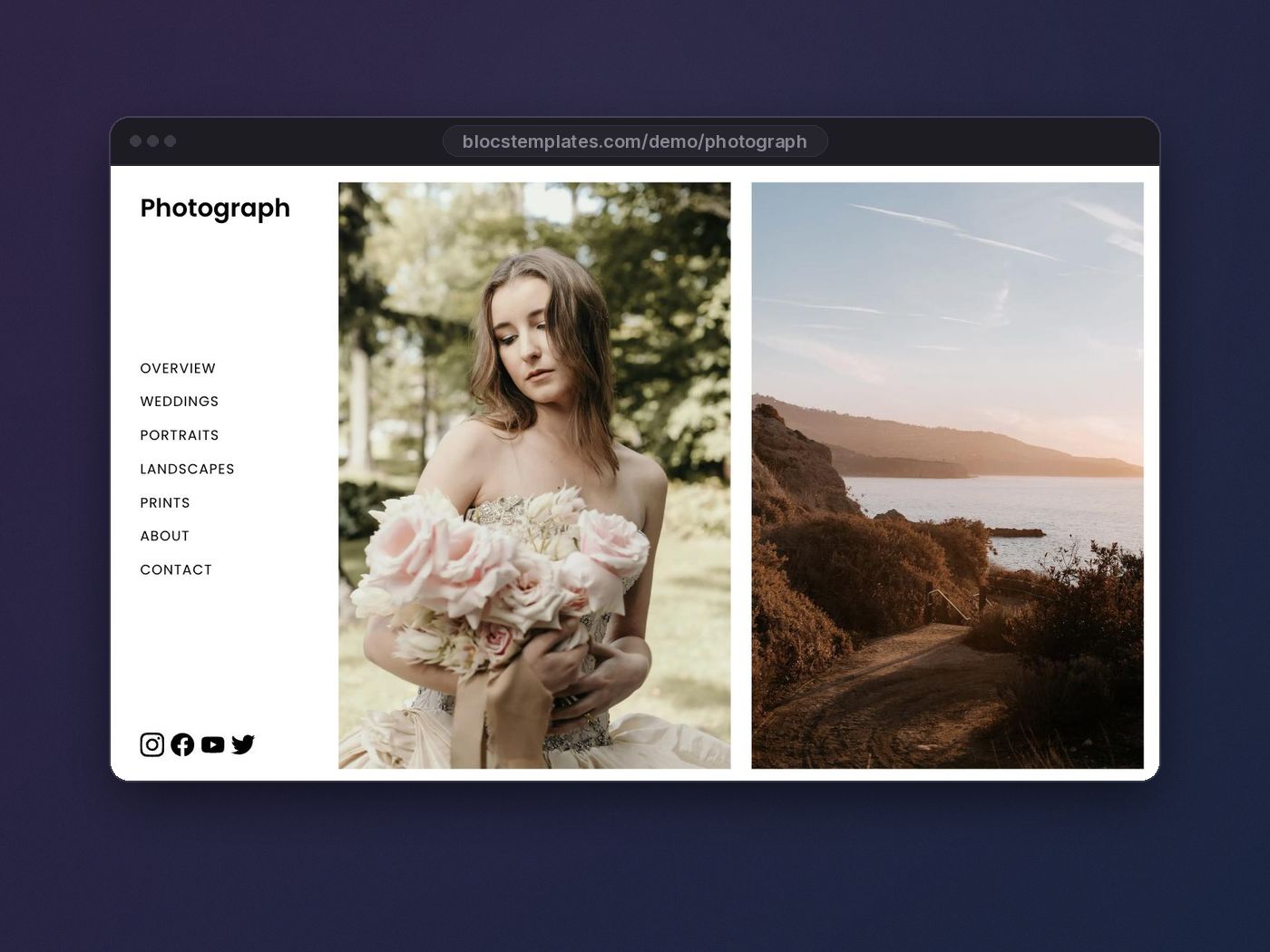
Photograph — the collection's most complete photography template, with an elegant sidebar navigation that keeps the focus on the frames. A superb all-rounder for working professionals.
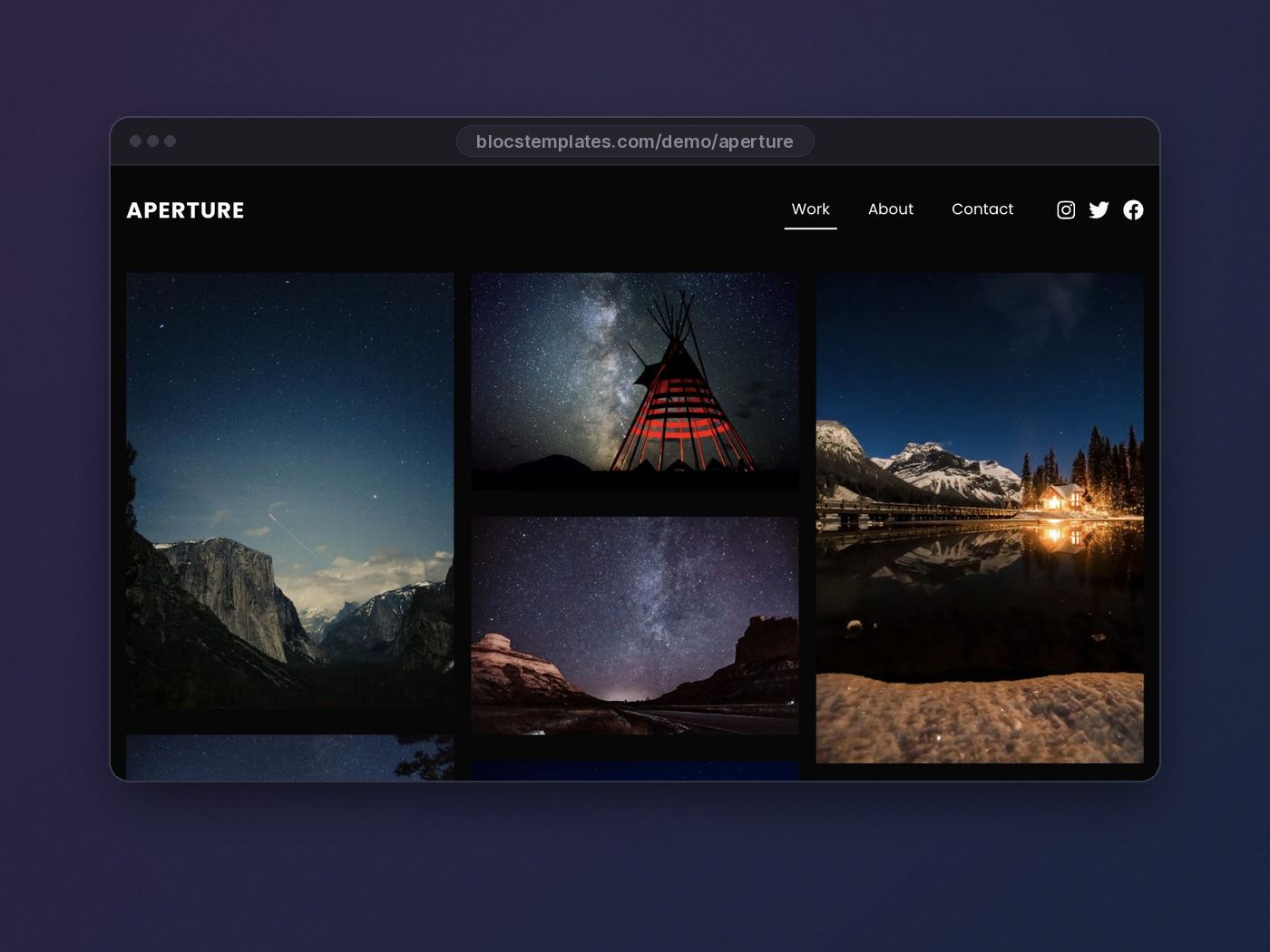
Aperture — clean grid-driven galleries with a classic gallery-wall feel. Great for studios and portrait photographers with a broad body of work.
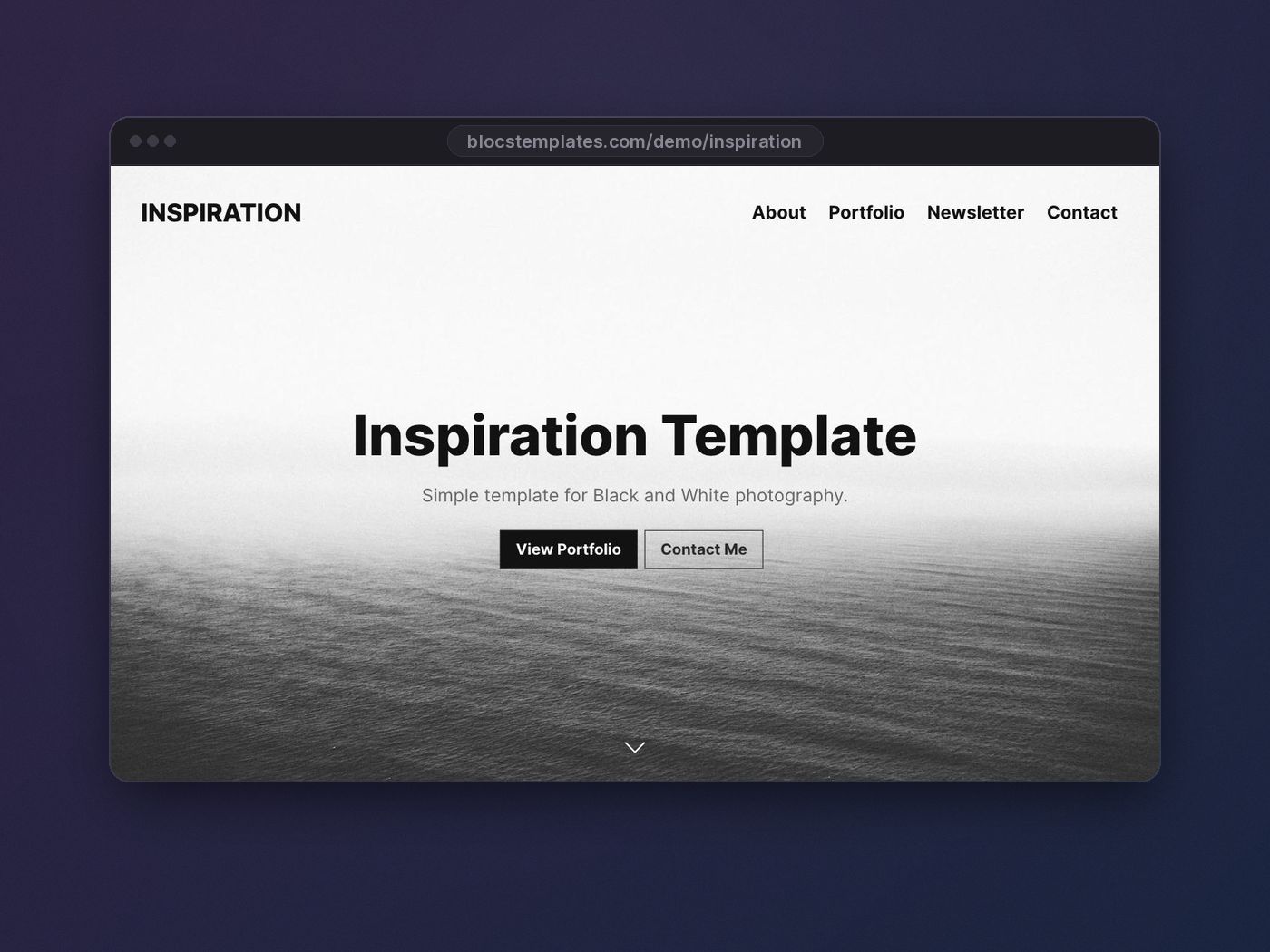
Inspiration — light, airy, and modern; one of the most popular templates on the site. If your brand is bright and contemporary, start here.
Open each live demo and scroll it like a client would. The right one will be obvious — it's the one where you can already picture your photographs.
Saturday: build day
Prepare your images first
Do this before touching the template, in one batch. It's the difference between a portfolio that feels premium and one that tests a visitor's patience:
- Export at web size. Full-width hero images at ~2400px on the long edge; gallery images at ~1600px. Nobody needs your 60-megapixel original — and image theft gets easier the larger you serve.
- Compress hard. WebP or JPG at quality 75–82 is visually indistinguishable on screen and often 80% smaller. Aim for under 400 KB per image, less for grids.
- Name files descriptively.
yosemite-valley-storm.webphelps your SEO;IMG_8841.jpghelps no one.
Assemble the site
With images ready, the build moves fast. Open the template's project file in Blocs and work through it:
- Rebrand the globals — your name or studio as the logo, your accent color, your fonts. Ten minutes. (New to this? Follow our template customization workflow.)
- Build one gallery page per genre, duplicating the template's gallery layout. Keep image aspect ratios consistent within a grid — mixed orientations belong in separate rows, not jammed into one.
- Write a one-paragraph bio for the about page: who you are, where you shoot, what you're like to work with. Clients book the person, not the lens.
- Make contact effortless. A short form or a plain email link — on its own page and repeated at the bottom of every gallery, right where the impulse strikes.
The portfolio rule of thumb: every click a visitor spends navigating is attention not spent on your photographs. Three levels deep is too deep.
Sunday: polish, SEO, and launch
The detail pass
Walk the whole site at desktop, tablet, and phone widths. Photography sites live and die on mobile — that's where clients forward links to partners and art directors scroll on trains. Check that hero crops still frame the subject at narrow widths and that galleries reflow gracefully.
SEO for photographers, minus the mythology
You don't need an agency; you need the basics done honestly:
- Title each page for a real search: "Wedding Photographer in Porto — Your Name" beats "Gallery 1".
- Write alt text that describes the image — it's accessibility first and SEO second, and it takes seconds per photo.
- Add your city. Most photography searches are local. Say where you work, in plain text, on the homepage and contact page.
Because Blocs exports a static site, you start with a speed advantage most photographer platforms can't touch — your image prep from Saturday is what keeps it.
Go live
Export, upload to any static host, connect your domain. Then send the link to three people who'll be honest, and fix what they trip over. That's launch.
The weekend math
One template purchase, two focused days, and you own a portfolio that costs almost nothing to keep online — versus $300+ a year, forever, on a hosted portfolio platform. If you also build sites for others (second shooters, venues, makeup artists all need them), the Lifetime Membership turns this weekend skill into a service you can sell, with all 70+ templates included.
Your next booking is one well-framed website away. Pick your photography template and start Friday.